GST bills in seconds
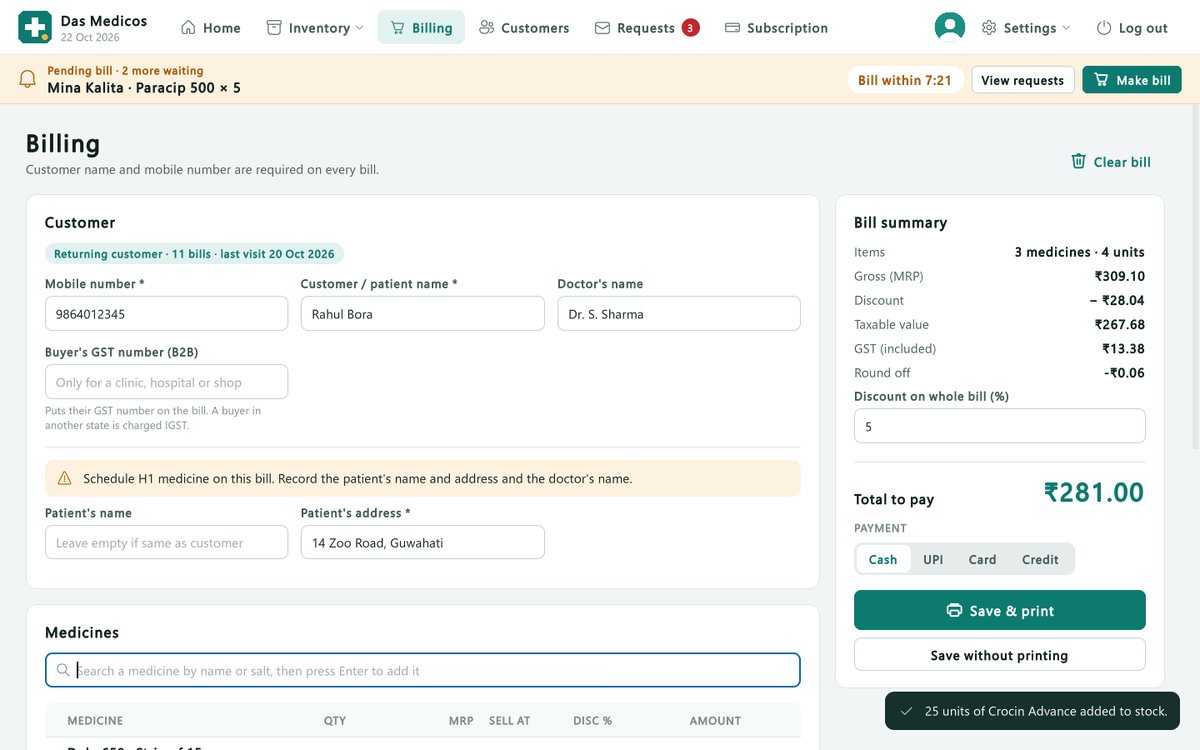
Search by name or salt, or scan. CGST and SGST worked out, B2B invoices with IGST, discounts, credit, UPI or cash.
₹100 / monthPOS software for retail pharmacies in India
GST billing, stock and reports your accountant will like, running on your own Windows computer. Works even when the internet doesn't.
No card needed for the trial · Windows 10 and 11 · Stop any time
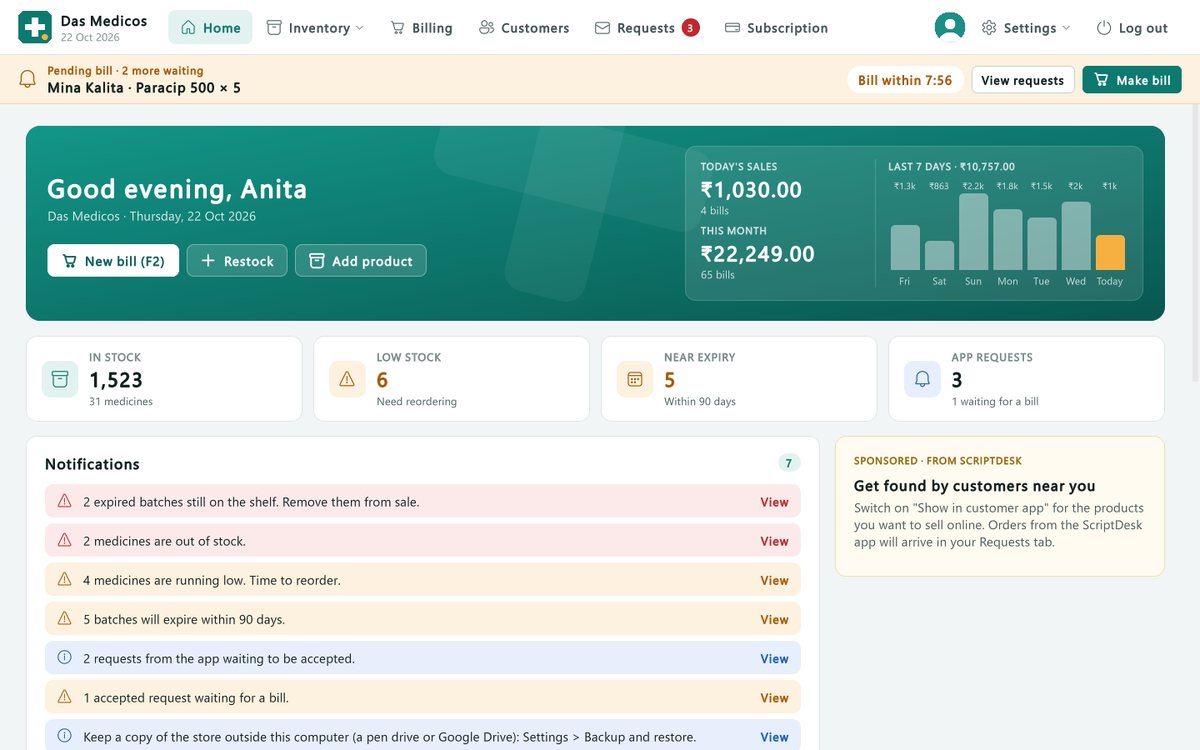
Today's sales, low stock and near-expiry medicines, the moment you open ScriptDesk.
Features
Built for how an Indian pharmacy actually runs: strips and packs, salts and brands, Schedule H1 and X, and an accountant waiting for the GST working.
Search by name or salt, or scan. CGST and SGST worked out, B2B invoices with IGST, discounts, credit, UPI or cash.
Every pack is kept by batch and expiry. The earliest expiry is sold first, and near-expiry stock is flagged while there is still time to return it.
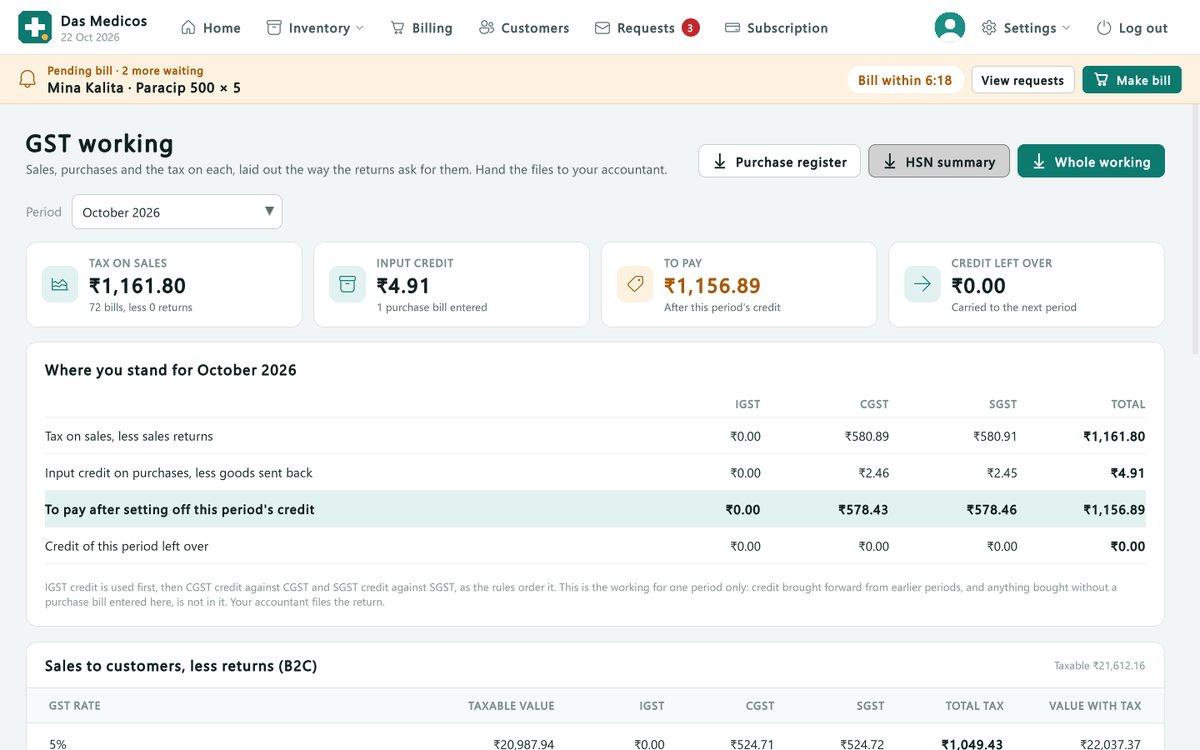
GST working, profit, day's cash, low stock, what to order, and the Schedule H1 / X register.
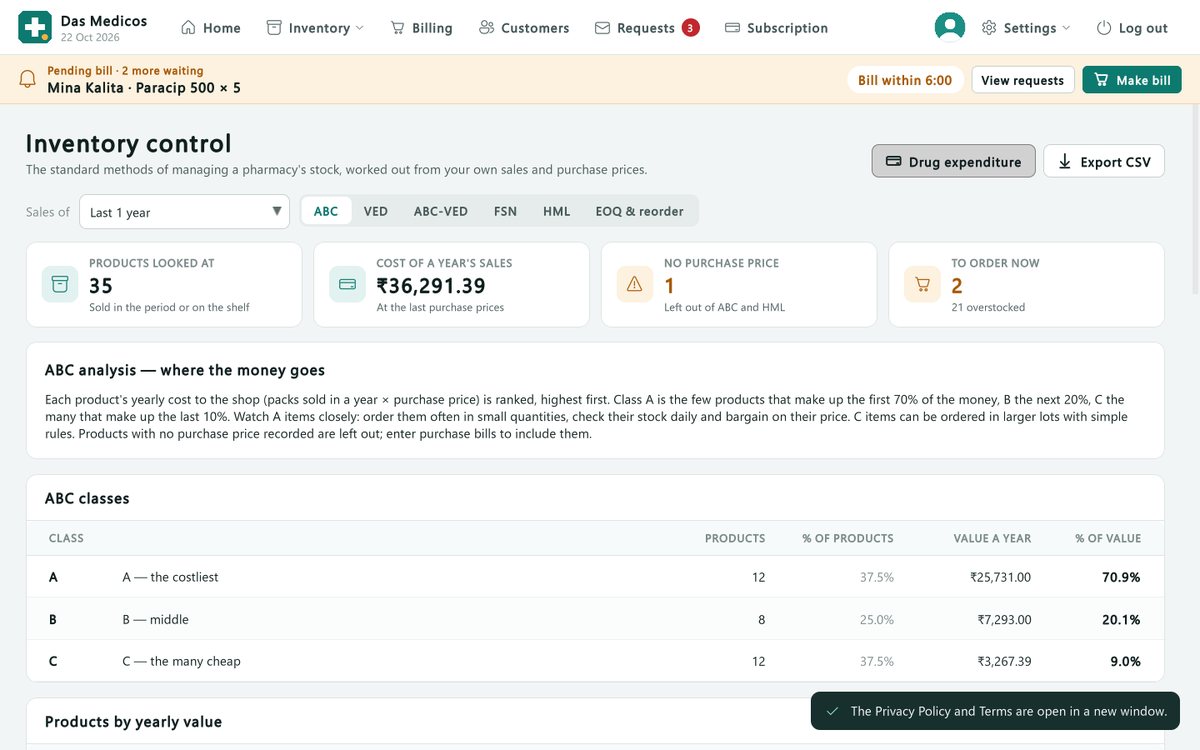
ABC, VED, FSN and HML analysis, reorder levels and drug expenditure. The methods pharmacists learn, done for you.
Use a barcode scanner, or the camera of a phone on the shop's Wi-Fi, for billing and adding stock.
No extra hardware needed to get started.
Enter whole supplier invoices, returns and debit notes, and see what you owe each supplier.
Add counters on other computers, or bill from any browser on the shop's network.
Import your item list and stock from Excel or CSV, including Marg's item export.
A backup every day, plus one click to keep a copy on a pen drive or Google Drive.
Your data
Bills, stock and reports live on your own computer and keep working without the internet. ScriptDesk goes online only to check your subscription, fetch updates and send the store's daily totals.
Your shop's computer
ScriptDesk cloud
Does it pay for itself?
Enter roughly how much stock expires on your shelves in a month. ScriptDesk flags near-expiry batches early, while there is still time to sell them first or send them back to the supplier.
Lost to expiry in a year
₹24,000ScriptDesk for a year
₹1,200 + GSTSave just 5% of that and ScriptDesk pays for itself.
Pricing
Every feature and every update, for one pharmacy. Try it free first and pay only if you like it.
Put ScriptDesk on your pharmacy's Windows computer.
Your 30-day free trial starts at once.
When you are ready. The subscription renews itself within minutes.
ScriptDesk 30 days free
₹100/ month
per pharmacy, plus GST as applicable
Pay by UPI, card or net banking through Razorpay
Yes. Billing, stock and reports work on your computer without the internet. ScriptDesk goes online only to check your subscription, receive updates and send the store's daily totals.
On your own computer, with a backup every day. The ScriptDesk cloud receives only your store's details and daily totals, never a patient's name, number or bill.
A computer with Windows 10 or Windows 11. A barcode scanner and a printer are optional.
Yes. ScriptDesk imports your item list from Excel or CSV files, including Marg's item export, with stock quantities.
From inside ScriptDesk, under Subscription: pay by UPI, card or net banking on Razorpay's secure page. The payment is confirmed by itself within minutes.
Yes. Nothing is charged automatically; you simply don't renew. Your records stay yours to open, print and export.
30 days free. Questions or want a demo? Write to info@scriptdesk.in.